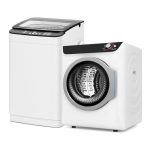
You’re on hold with customer support, your Samsung washer dryer combo has decided to take an unscheduled break, and the technician’s first question is, “What’s the serial number?” Suddenly, you’re staring at a large, sleek appliance that offers no obvious clues. This frustrating scenario is more common than you think, but the solution is simpler than you might expect. Knowing your appliance’s serial number is the critical first step for warranty claims, troubleshooting, ordering correct parts, and scheduling repairs.
This guide is your definitive resource for locating this essential identifier on any Samsung washer dryer combo model. We will walk you through every possible location, from the most common spots to less obvious ones for newer or built-in units. You’ll learn not just where to look, but also how to decode the serial number and why keeping it recorded is as important as finding it. By the end, you’ll be equipped to answer that technician’s question in seconds, turning a moment of panic into a quick solution.
The Primary Hotspot: Inside the Door and Door Frame
The most common and accessible location for the serial number on a front-loading Samsung washer dryer combo is inside the door or around the door frame. Manufacturers place it here for easy visibility without moving the appliance. Open the main washer door fully and direct a flashlight to the inner rim of the door opening, specifically on the metal tub seal or the outer drum. Look for a white or silver sticker that contains a wealth of information, including the model number and the serial number.
The sticker is typically formatted with clear labels. You will see headings like “Model” followed by a code like “WF45R6300AW/A2” and “Serial” or “S/N” followed by a string of letters and numbers. The serial number is unique to your machine. For some combo units, especially those with a secondary drying door, also check inside the dryer door frame using the same method. The lighting can be tricky, so take your time and inspect the entire circumference.
If the sticker inside the door is faded, torn, or missing due to moisture exposure, do not worry. This is a common issue, and it simply means you need to proceed to the secondary locations. To prevent this problem in the future, consider taking a clear, well-lit photograph of the sticker with your smartphone the moment you find it. Store this photo in a dedicated “Home Appliances” album for instant access during future emergencies or routine maintenance scheduling.
Secondary Locations: Back, Sides, and Control Panel Area
If the door frame yields no results, your next step is to check the exterior surfaces of the unit. Carefully pull the machine away from the wall, ensuring you have help if needed to avoid straining your back or damaging flooring. Once you have safe access, inspect the back panel. The serial number sticker is often placed on the upper half of the rear, either on the left or right side. It might be on a white sticker or sometimes etched directly onto a metal plate.
For models designed to be built into cabinetry or stacked, the serial number may be located on the side panels. Check the right side, as this is often the standard, but inspect both. You may need to open adjacent cabinet doors or remove a thin side panel if your unit is integrated. Additionally, do not overlook the area around the control panel. Gently open the detergent dispenser drawer and look for a sticker on the inside or on the cavity behind it. Some models have a sticker on the top edge of the machine, visible only when you look down from above.
When checking these areas, have a notepad and pen ready, or use your phone’s notes app. The alphanumeric sequence can be long, and it’s easy to transpose characters like ‘8’ and ‘B’ or ‘0’ and ‘O’. Read it twice and record it exactly as printed. This meticulousness will save you significant time and confusion when communicating with Samsung support or a local repair service, ensuring they pull up the exact specifications for your appliance.
Digital Discovery: Using the SmartThings App and Diagnostic Mode
For tech-savvy owners or situations where the physical stickers are illegible, your Samsung washer dryer combo’s digital interfaces offer a reliable alternative. If your combo unit is a Wi-Fi enabled model connected to the Samsung SmartThings app, the serial number is often stored in the device information within the app. Open the SmartThings app, select your washer dryer combo from your device list, navigate to settings or device information, and look for the serial number listed alongside the model number and software version.
Another powerful method is to use the appliance’s built-in diagnostic mode. The exact button sequence to enter this mode varies by model but commonly involves pressing a specific combination of buttons on the control panel (such as “Delay Start” + “Soil Level” or “Spin” + “Temp”) for 3-5 seconds. Once in diagnostic mode, you can often scroll through various information screens using the cycle buttons until you find one displaying the model and serial number. Refer to your user manual for the precise button sequence for your model.
It is crucial to use the official Samsung SmartThings app for this purpose, as third-party apps may not display this detailed information. If you have never connected your appliance, the setup process is straightforward and guided within the app, requiring you to be near the machine with your smartphone. This digital record is invaluable; it cannot be lost, faded, or physically damaged, making it a perfect backup to your physical sticker.
Decoding the Digits: What Your Serial Number Means
A Samsung serial number is not just a random string; it is a coded identifier that reveals information about your appliance. While the format can vary, it typically includes codes for the place of manufacture, the production date, and a unique unit sequence. For example, a serial number might start with letters indicating the factory location, followed by numbers for the year and week of production, and ending with a unique set of digits. Knowing this can help verify the age of your unit for warranty purposes.
Understanding the production date is particularly useful. The warranty period for Samsung appliances is often calculated from the original date of purchase, but if you lack a receipt, the manufacture date from the serial number can serve as a proxy for service agents. A unit manufactured in the 40th week of 2024, for instance, could not have been purchased earlier than that. This can help resolve disputes or confirm if your machine is still under the standard one-year limited warranty or an extended service plan.
You do not need to memorize the code, but knowing it contains a date can be empowering. When speaking with a service representative, you can confidently provide the serial number and ask, “Can you confirm the manufacture date for me?” This shows you are an informed consumer. Always pair the serial number with your model number, as this combination gives technicians the complete picture of your appliance’s design and original components.
Proactive Measures: Recording and Storing Your Information
Finding the serial number once is only half the battle; the key is to record it permanently so you never have to search for it again during a crisis. Create a dedicated “Home Appliance and Warranty” document, either digital or physical. For each major appliance, log the model number, serial number, purchase date, retailer, and warranty details. A simple spreadsheet or a note in a cloud service like Google Docs or Apple Notes works perfectly, as it is accessible from your phone anywhere.
Take this a step further by attaching a physical copy of this information to the appliance itself. After recording the numbers, write them on a durable label or piece of masking tape and stick it in an inconspicuous but accessible spot, such as the underside of the control panel lid or on the side of the cabinet that houses the unit. This provides a quick physical backup. Also, file your paper receipt and manual in a known location, and consider taking a photo of the receipt to store with your digital records.
Finally, register your appliance with Samsung immediately after purchase. Registration typically requires the model and serial numbers and your purchase details. This not only activates your warranty but also creates an official record in Samsung’s system. In the future, if you need service, you can simply provide your name and address, and the representative can pull up your product details instantly, streamlining the entire support process and getting your washer dryer combo back in action faster.
Key Takeaways
- ✓ The most common location for the serial number is on a sticker inside the main washer door frame or on the drum.
- ✓ Secondary physical locations include the back panel, side panels, behind the detergent drawer, and around the control panel.
- ✓ For connected models, the Samsung SmartThings app and the unit’s diagnostic mode can provide digital access to the serial number.
- ✓ The serial number encodes manufacturing data, which can help determine the appliance’s age for warranty and service contexts.
- ✓ Proactively recording and storing your model and serial numbers in multiple places saves significant time and stress during repairs.
Frequently Asked Questions
What if the sticker inside my Samsung washer dryer combo door is completely faded or washed off?
This is a common issue due to moisture and detergent exposure. First, check the secondary locations like the back, sides, and behind the detergent dispenser. If those are also unreadable, use the digital methods: connect the appliance to the SmartThings app or enter the diagnostic mode using the button sequence for your model (found in the user manual). As a last resort, a certified technician can often retrieve the serial number through the machine’s internal service menu during a visit.
Is the serial number the same as the model number?
No, they are critically different. The model number (like WF45R6300AW) identifies the type and series of your washer dryer combo. All units of that model are the same. The serial number is a unique string of letters and numbers assigned only to your specific appliance, like its fingerprint. You need both for effective service and support.
I have a stacked or built-in unit and cannot move it. How can I find the serial number?
For stacked units, check the side panels of each module (washer and dryer) if they are separate. For built-in units, the serial number is often placed on the front-facing side of the cabinet, visible when you open the adjacent cabinet door. Also, try the digital methods via the SmartThings app or diagnostic mode, which do not require physical access to the sides or back.
Can I find my serial number using the Samsung website if I registered my appliance?
Yes, if you registered your washer dryer combo on Samsung’s website or through the app using a Samsung account, your product details, including the serial number, should be stored in your account profile. Log in to your Samsung account, navigate to “My Products” or “My Devices,” and select your appliance to view its registered information.
Why is the serial number so important for a service call?
The serial number allows the service technician to confirm the exact production batch, manufacture date, and specific hardware revisions of your appliance. This ensures they bring the correct parts, understand any known issues or service bulletins for that specific run, and can verify warranty coverage before they arrive, leading to a faster and more accurate repair.
Conclusion
Locating the serial number on your Samsung washer dryer combo is a fundamental piece of home appliance literacy that pays off in convenience and efficiency. We’ve explored the primary location inside the door, secondary spots on the exterior, and modern digital methods via apps and diagnostic modes. Understanding how to decode this number and the imperative of recording it transforms a potential headache into a simple, manageable task. With this knowledge, you are no longer at the mercy of a faded sticker or a confusing phone menu.
Take action today. Find your serial number using this guide, and then permanently record it in at least two places—a digital file and a physical note attached to the machine itself. Register your appliance with Samsung if you haven’t already. This small investment of time will arm you with the essential information needed to navigate warranty support, order parts, and schedule repairs with confidence, ensuring your laundry routine faces minimal disruption for years to come.

Oliver Bennett is a home appliance writer specializing in washer and dryer solutions, laundry care, and energy-efficient appliances. He provides detailed reviews, buying guides, and maintenance tips to help users choose reliable machines and achieve better laundry results.