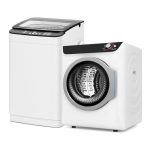
You’re trying to schedule a repair, register for a warranty, or order a specific part for your Samsung dryer, and you’ve hit a wall: you need the serial number. Suddenly, what seems like a simple task becomes a frustrating game of hide-and-seek with a large metal appliance. You’re not alone. Locating the serial number on modern appliances is a common first hurdle for homeowners, but it’s a crucial piece of information that unlocks support, service, and safety.
This guide is your definitive resource for finding your Samsung dryer’s serial number, understanding what those letters and numbers mean, and learning why this code is so important beyond just a repair ticket. You will learn the primary and secondary locations to check, how to decode the serial number to determine your dryer’s age, and the practical steps to take once you have it in hand. Knowing this information empowers you as an owner, ensuring you can efficiently access warranties, find compatible parts, and maintain your appliance’s history.
The Primary Hunting Grounds: Standard Serial Number Locations
For most Samsung dryers, the serial number is prominently displayed on a metallic or white rating plate or sticker. The most common and accessible location is inside the dryer door. Open the door fully and look along the inner rim of the dryer opening, either on the top edge or along the side frame. sticker here is often silver and contains the model number, serial number, and various electrical ratings. It’s placed here for easy visibility without moving the appliance.
If you don’t find it inside the door, the next most frequent location is on the back of the dryer. This requires unplugging the dryer and carefully pulling it away from the wall for safety and access. The rating plate is typically affixed to the rear panel, often near the top center or near the vent connection point. While less convenient, this location is standard for many appliance manufacturers. For stacked washer-dryer units or all-in-one combo models, check the interior door first, then the rear panel.
For dryer models with a front control panel that lifts up or tilts forward for service access, you may find the rating plate underneath this panel. Before attempting this, consult your user manual, as applying force incorrectly can damage the console. Generally, if the sticker isn’t in the door or on the back, consulting the manual for "specifications" or "product information" will direct you to the exact location for your specific model.
Understanding the Code: What Your Serial Number Tells You
A Samsung serial number is not a random string; it’s a coded identifier. While the format can vary, it typically contains letters and numbers that indicate the place of manufacture and the production date. For example, a serial number might start with letters like "DA" or "BF," which correspond to specific manufacturing plants. The following digits often reveal the year and week of production. Understanding this can help you verify the appliance's age, which is vital for warranty status or assessing its expected lifespan.
To decode the manufacturing date, you often look at specific characters within the serial number. A common format uses the 5th and 6th characters: the 5th might be a letter representing the year (e.g., C=2012, D=2013, etc., though this cycle repeats), and the 6th might be a number or letter indicating the month. However, Samsung has used different coding systems over the years. The most reliable method is to use the serial number on Samsung’s official website or provide it to an authorized service technician who can decipher it accurately.
Knowing your dryer’s age is profoundly practical. It helps determine if it’s still under the standard one-year manufacturer’s warranty or any extended warranty you may have purchased. It also informs decisions about repairs versus replacement; a major repair on a dryer over ten years old may not be cost-effective. Furthermore, the specific serial number is essential for ordering the correct replacement parts, as even the same model can have slight variations produced in different batches.
Why the Serial Number is Your Dryer’s Passport
The serial number is the absolute key to unlocking manufacturer support. When you contact Samsung customer service or a certified repair center, the first thing they will ask for is the model and serial number. This allows them to pull up the exact specifications of your appliance, confirm its warranty status in their system, and ensure they dispatch a technician with the right parts. Without it, you may face delays, misdiagnoses, or orders for incompatible components.
For safety recalls and service bulletins, the serial number is critical. Manufacturers issue recalls for specific batches of appliances, identified by a range of serial numbers. Simply knowing your model number isn’t enough to confirm if your unit is affected. You must your specific serial number against the recall list on the U.S. Consumer Product Safety Commission (CPSC) website or Samsung’s own recall page. This proactive step is crucial for preventing potential fire or safety hazards.
Beyond repairs and recalls, the serial number is necessary for product registration. While you can register with just the model number, providing the serial number completes your appliance’s profile, making future service smoother and ensuring you receive direct notifications for any updates or recalls. It also acts as proof of ownership, which can be useful for insurance purposes in the event of damage or theft.
Digital Alternatives and Backup Search Methods
Action Steps: What to Do Once You’ve Found It
Your first action should be to record the serial number in multiple secure places. Write it down in a home maintenance file, save it in the notes app on your phone, and take a clear, well-lit photograph of the rating plate. Store this photo in a dedicated "Home Appliances" album. Also, enter the serial number (along with the model number and purchase date) into the product registration page on Samsung’s website if you haven’t already done so. This creates a permanent digital record.
Next, use the serial number to perform a safety check. Visit the CPSC website and Samsung’s support page to search for any open recalls or important safety notices related to your specific dryer model and serial range. This is a responsible and potentially safety-critical step for any major appliance. Additionally, if your dryer is acting up, having the serial number ready will expedite any troubleshooting calls with support, as they can immediately access your dryer’s build details.
Finally, attach this information to the appliance itself in a secondary way. Consider using a permanent marker to write the serial number on a hidden but accessible spot inside the dryer drum housing or on the back of the control panel (if safe to do so). Alternatively, place a piece of masking tape with the number written on it inside the lint trap door. This creates a backup for future you or anyone else who needs to service the machine, ensuring the number is never truly lost.
Key Takeaways
- ✓ The serial number is most commonly found on a rating plate inside the dryer door, on the rear panel, or under the front control panel.
- ✓ The serial number encodes manufacturing data, allowing you to determine your dryer’s age for warranty and repair decisions.
- ✓ This number is essential for accessing warranty service, ordering correct parts, and checking for critical safety recalls.
- ✓ If the physical tag is missing, check purchase documents, the SmartThings app, or user manuals before resorting to professional help.
- ✓ Immediately record and securely store your serial number digitally and physically to streamline all future maintenance and safety checks.
Frequently Asked Questions
What if the serial number sticker inside my Samsung dryer door is completely faded and unreadable?
If the sticker is unreadable, your best bets are to check the rear panel sticker, your original purchase receipt, or the Samsung SmartThings app if your dryer is connected. If those fail, contact Samsung support with your model number and proof of purchase; they may be able to associate your purchase with a serial number range. As a last resort, a service technician can find an internal serial stamp.
Can I find out the exact manufacturing date of my dryer using just the serial number?
Yes, but decoding it yourself can be tricky as Samsung has used different coding systems. The serial number contains date codes, but the cipher isn't publicly standardized. The most reliable method is to enter the serial number on Samsung’s official warranty check page or provide it to an authorized service center. They can input it into their system and give you the precise manufacture date.
Is the serial number the same as the model number?
No, they are fundamentally different. The model number (like "DV45H6300EW/A2") identifies the type, size, and features of your dryer. All dryers of that model share the same model number. The serial number is a unique identifier for your specific appliance, like a fingerprint. You need both for effective service, but the serial number is key for warranty and recall purposes.
I’m buying a used Samsung dryer. How can the serial number help me?
The serial number is crucial when buying used. First, use it to check for any active recalls on the CPSC website to ensure safety. Second, you or a technician can use it to determine the dryer’s age, which helps assess its remaining lifespan and potential for costly repairs. Always ask the seller for the serial number before purchase and verify it matches the unit.
Do I need the serial number to order replacement parts?
While you can often order common parts ( belts or rollers) with just the model number, the serial number is highly recommended for precision. It ensures you get parts that match the exact production run of your dryer, as manufacturers sometimes make minor revisions to components. For electronic control boards or specialized sensors, providing the serial number is often mandatory to get the correct part.
Conclusion
Locating and understanding your Samsung dryer’s serial number transforms you from a frustrated owner into an informed one. This simple string of characters is the gateway to efficient repairs, guaranteed safety through recall checks, and optimized appliance longevity. By knowing where to look—from the door interior to the back panel—and understanding how to use this information, you equip yourself to manage your appliance’s maintenance with confidence and foresight.
Take action today. Find your serial number, record it in at least two secure locations, and perform a quick online recall check. This small investment of time safeguards your home, ensures you’re prepared for any future service needs, and ultimately helps you get the most value and safety from your Samsung dryer for years to come.

Oliver Bennett is a home appliance writer specializing in washer and dryer solutions, laundry care, and energy-efficient appliances. He provides detailed reviews, buying guides, and maintenance tips to help users choose reliable machines and achieve better laundry results.